グループの削除
| grandMA3 ユーザマニュアル » グループ » グループの削除 | Version 2.4 |
グループは削除できます。
グループがどこかで使用(参照)されている場合は、ポップアップで確認を求められます。
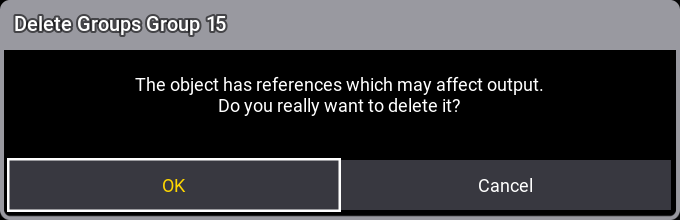
OK をタップすると、グループが削除されます。Cancel をタップすると、削除は実行されません。
削除されたグループがレシピで使用されている場合、その参照は削除され、レシピにセレクションが含まれなくなります。詳しくは、レシピ を参照してください。
グループがエクゼキュータに割り当てられ、グループ・マスターとして使用されている場合、グループを削除するとエクゼキュータは空になります。詳しくは グループ・マスター を参照してください。
削除は取り消すことができ、その場合は参照も元に戻ります。
一般的な削除構文は次の通りです。
Delete Group ["グループ名" または グループ番号]
Group プール・オブジェクトは、以下のいずれかの方法で削除できます。
- Using the Delete keyword.
To delete group number 1, type:

|
User name[Fixture]>Delete Group 1 |
- Swipey コマンドを開き、Delete を選択します。
例を見るには、以下の動画をタップしてください。
- Delete キーを押して、プール・オブジェクトをタップします。
例を見るには、以下の動画をタップしてください。