macOS® でのインストール
| grandMA3 ユーザマニュアル » grandMA3 onPC » macOS® でのインストール | Version 2.5 |
macOS® で grandMA3 onPC をインストールするには、以下のようにします。
- https://www.malighting.com/downloads/ からインストールファイルをダウンロードします。
- Webページの左側で grandMA3 シリーズを選択します。
- Software + Release Notes をクリックします。
- インストーラをダウンロードするには、grandMA3 onPC Software for macOS, x.x.x.x をクリックします。
- EULA and Third-Party Acknowledgments ポップアップが開きます。
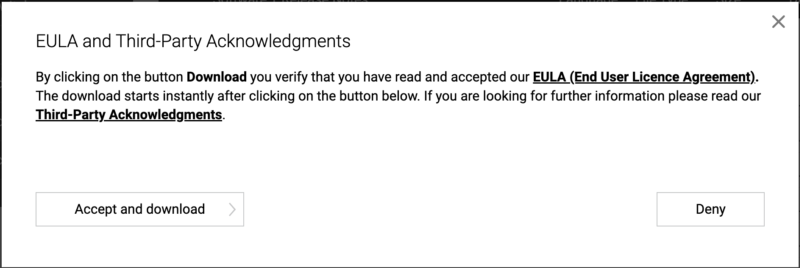
- Accept and download をクリックします。
- Downloads フォルダを開き、grandMA3_onPC_mac_vx.x.x.x.zip をダブルクリックします。macOS によりアーカイブが展開され、ma フォルダが作成されます。
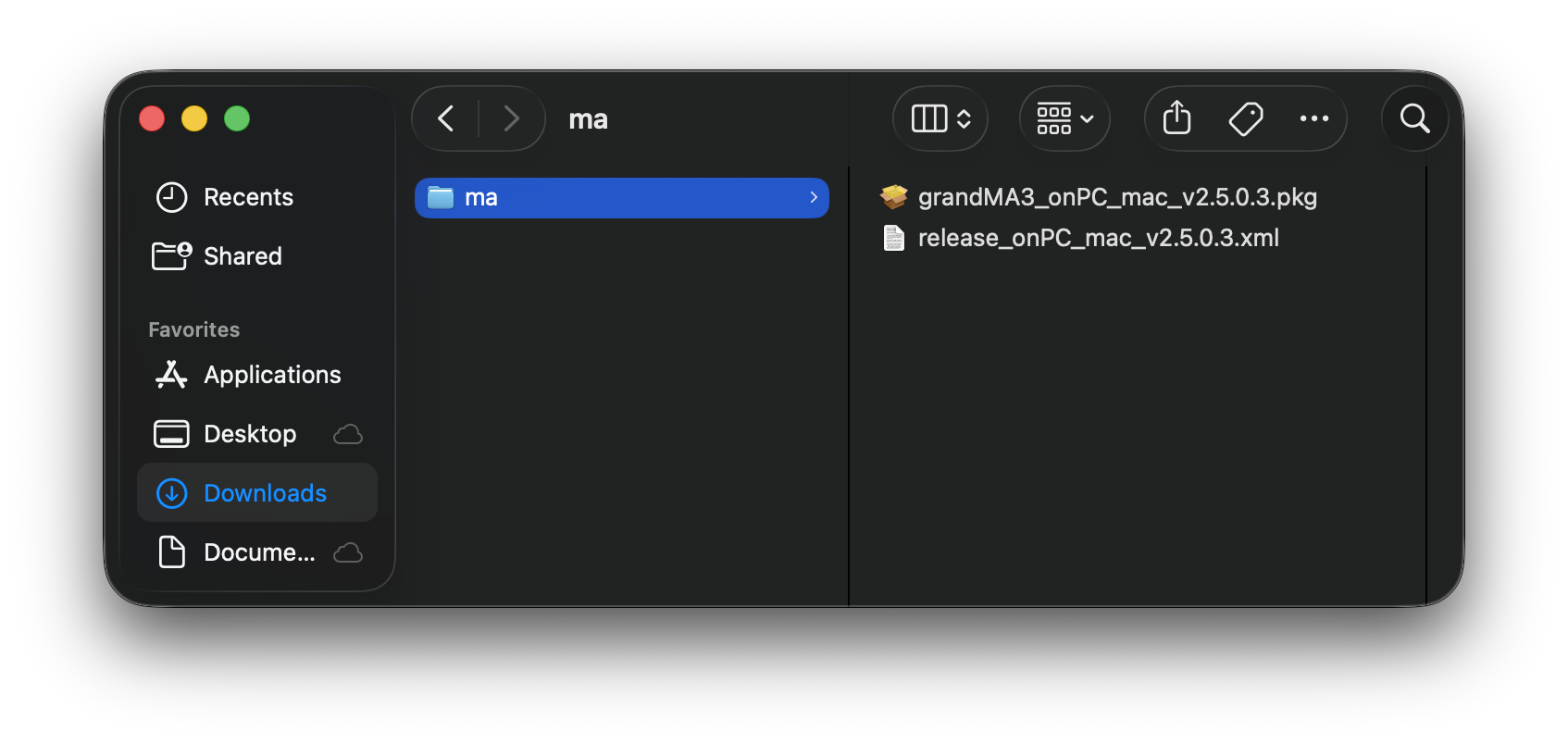
- ma フォルダを開き、grandMA3_onPC_mac_vx.x.x.x.pkg をダブルクリックします。Installer が開きます。
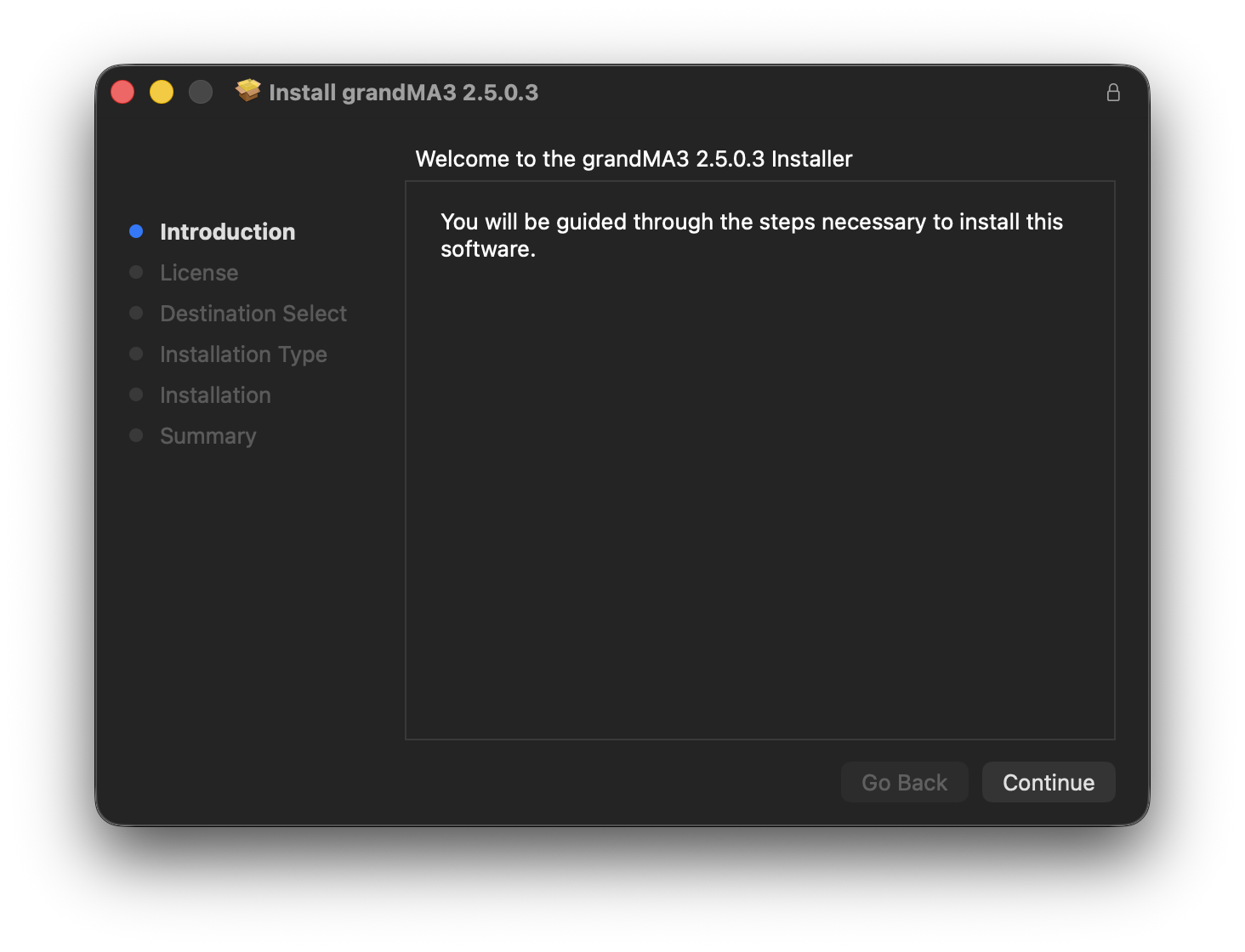
- Continue をクリックします。ソフトウェア使用許諾契約が開きます。
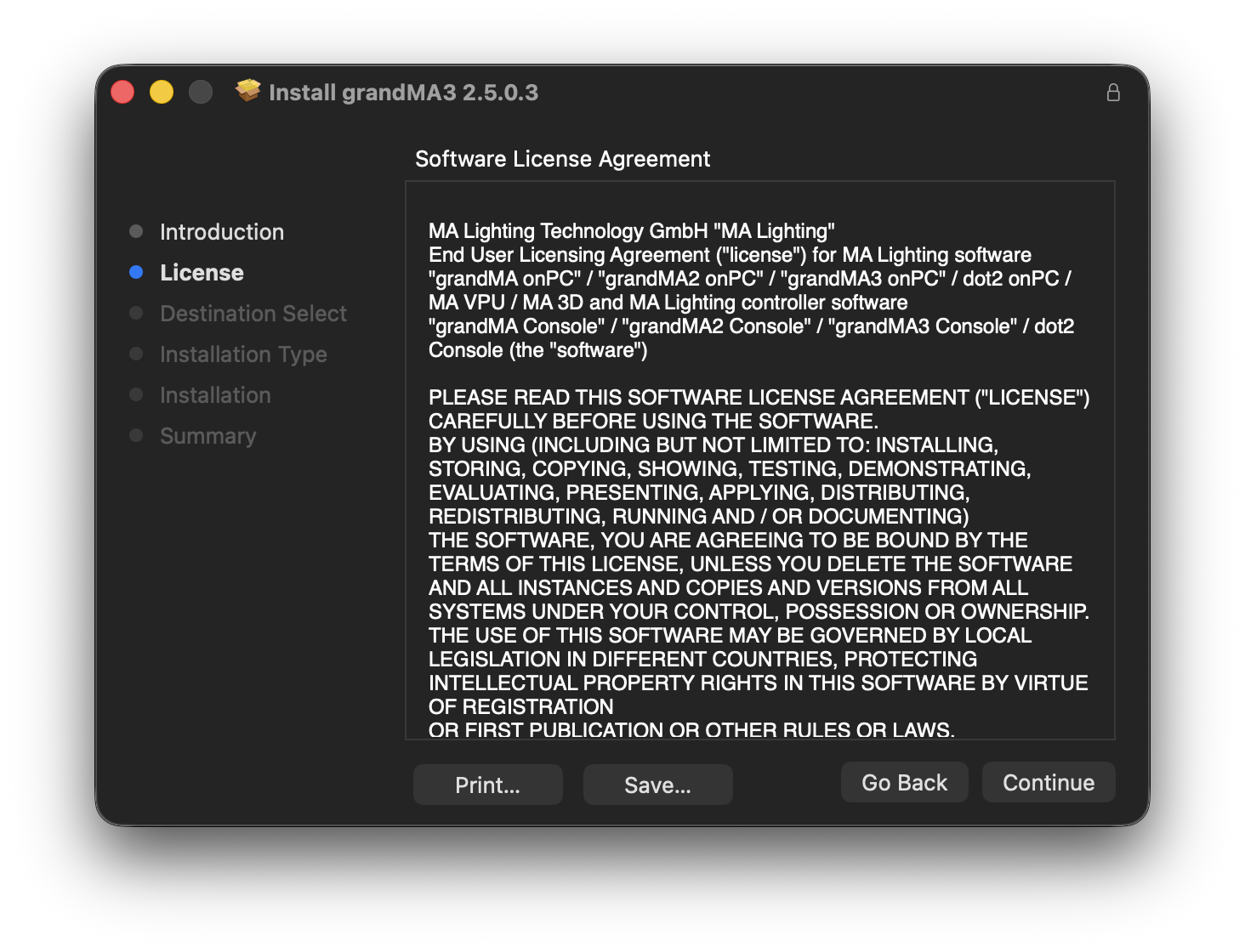
- Continue をクリックします。
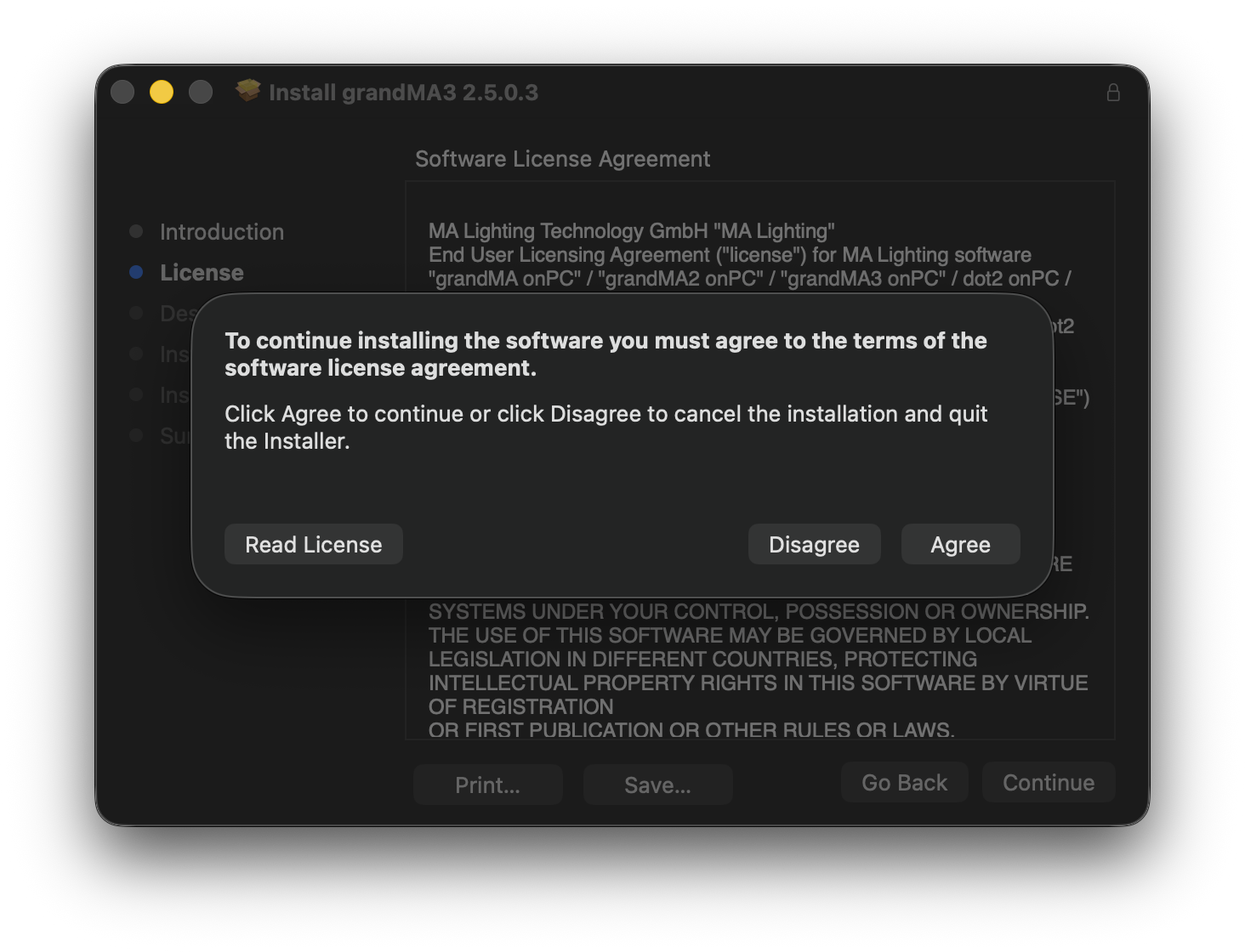
- Agree をクリックします。
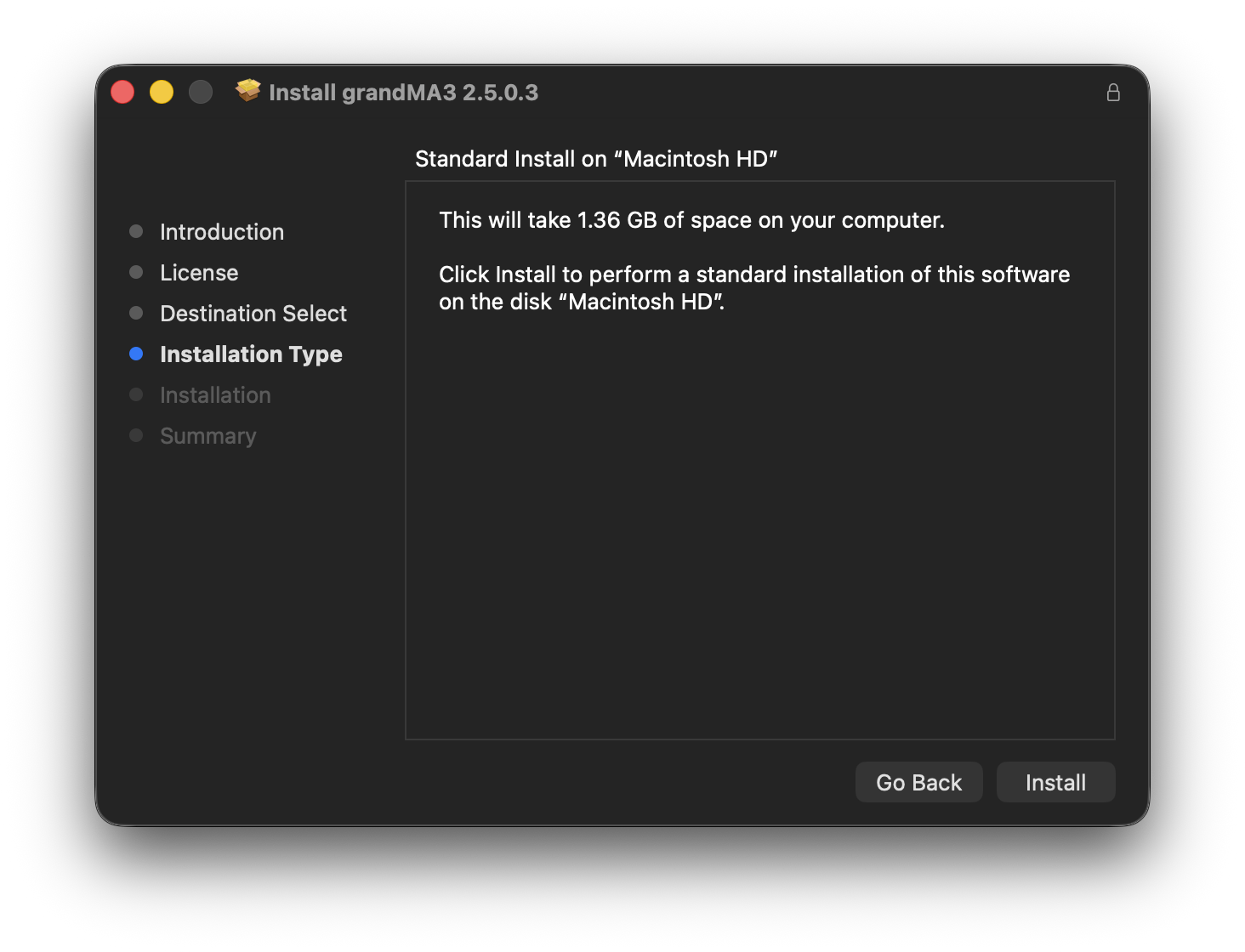
- Install をクリックします。
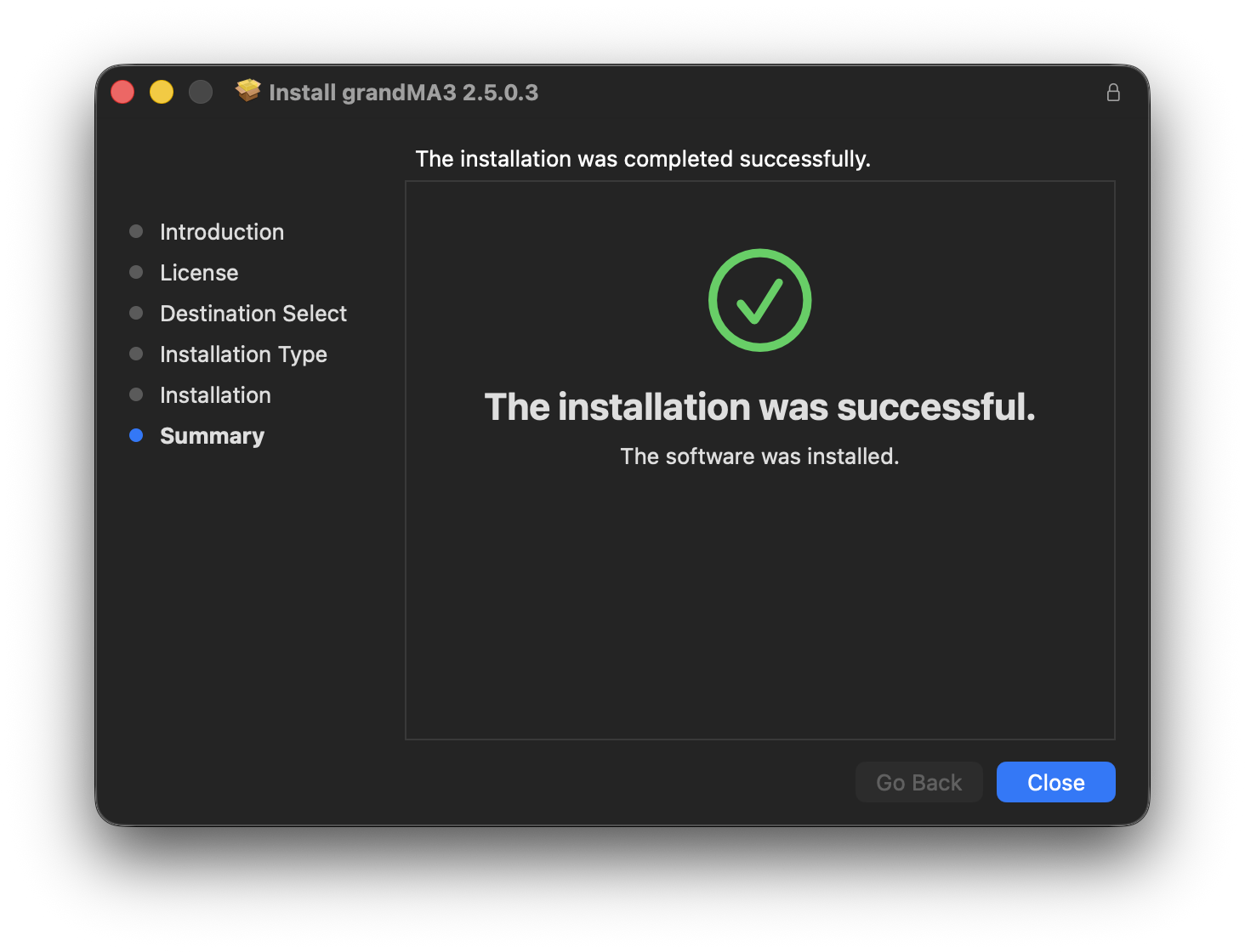
- Close をクリックします。
- Downloads フォルダ内のファイルへのアクセス許可を求めるポップアップが表示されます。
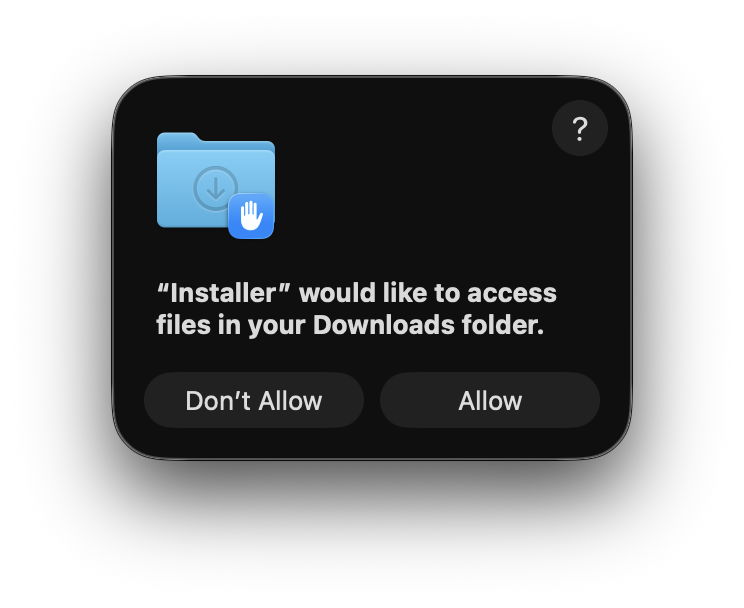
- Allow をクリックします。
- Installer で、インストーラパッケージを Trash に移動するか、現在の場所に保持するかを確認するメッセージが表示されます。
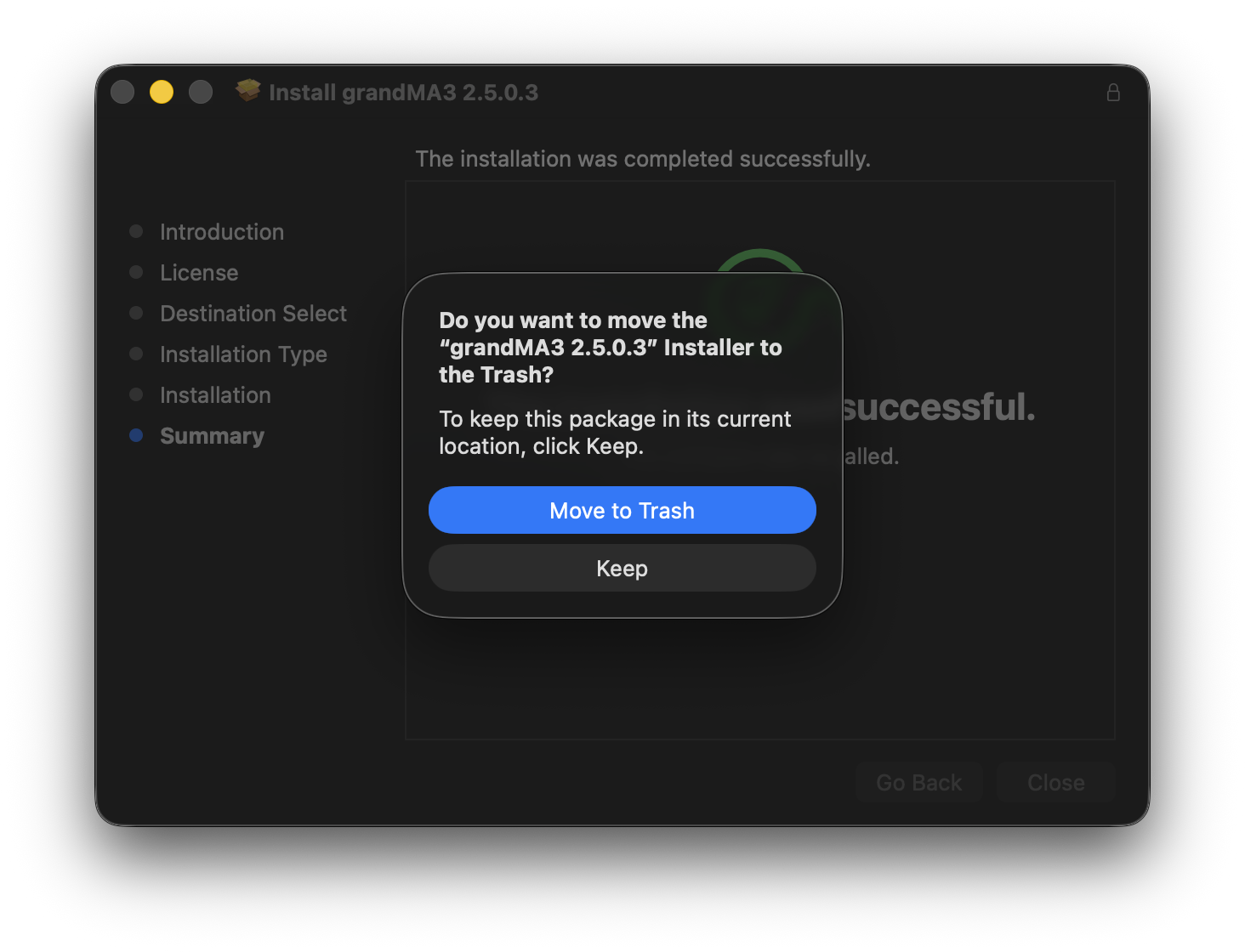
- Move to Trash をクリックします。
grandMA3 onPC は Applications フォルダにインストールされます。
インストール先のオプション
macOS が2つ以上の適格なディスクやドライブを検出すると、Installer で別のインストール先を選択できます。
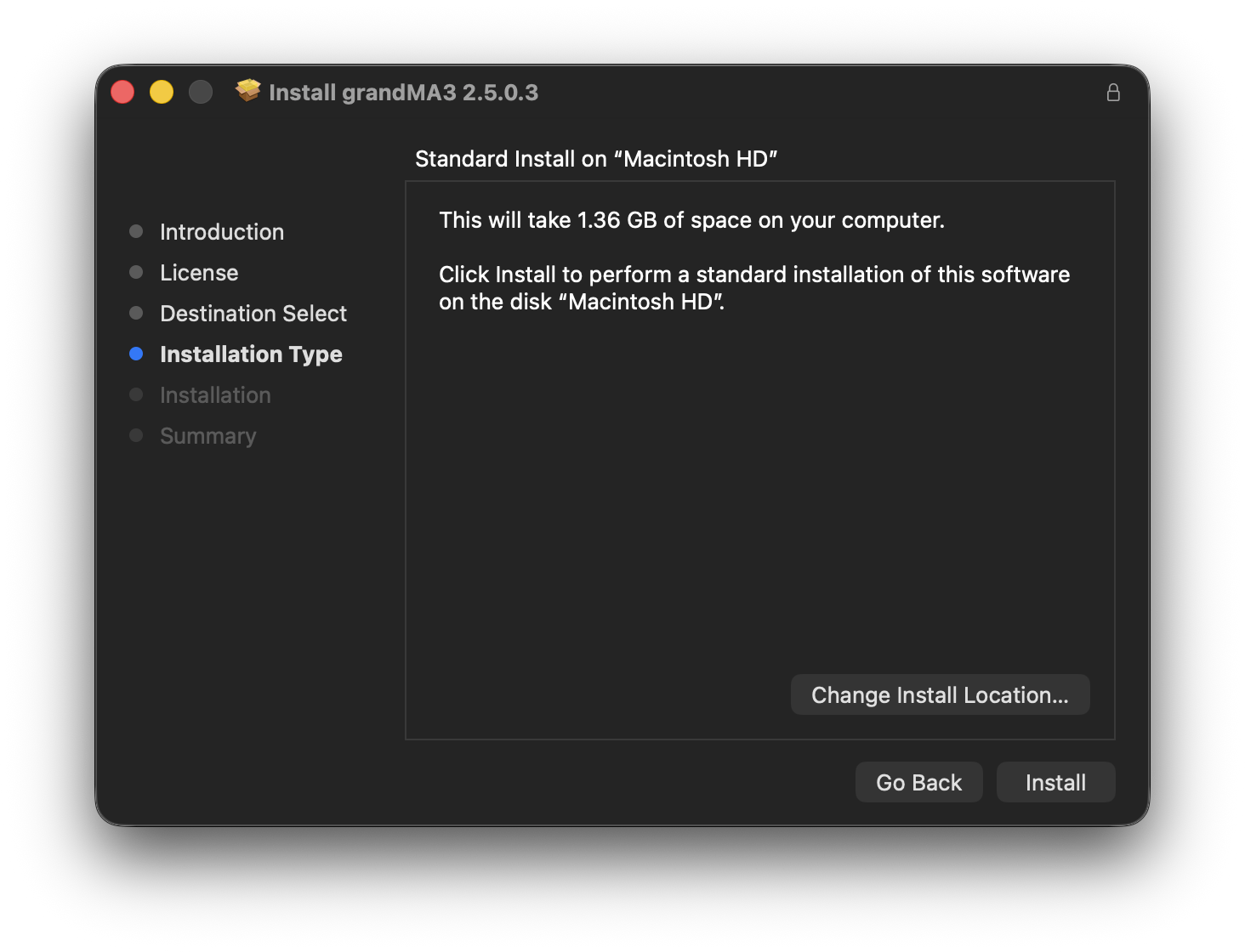
- Install Location をクリックし、インストール先を選択します。
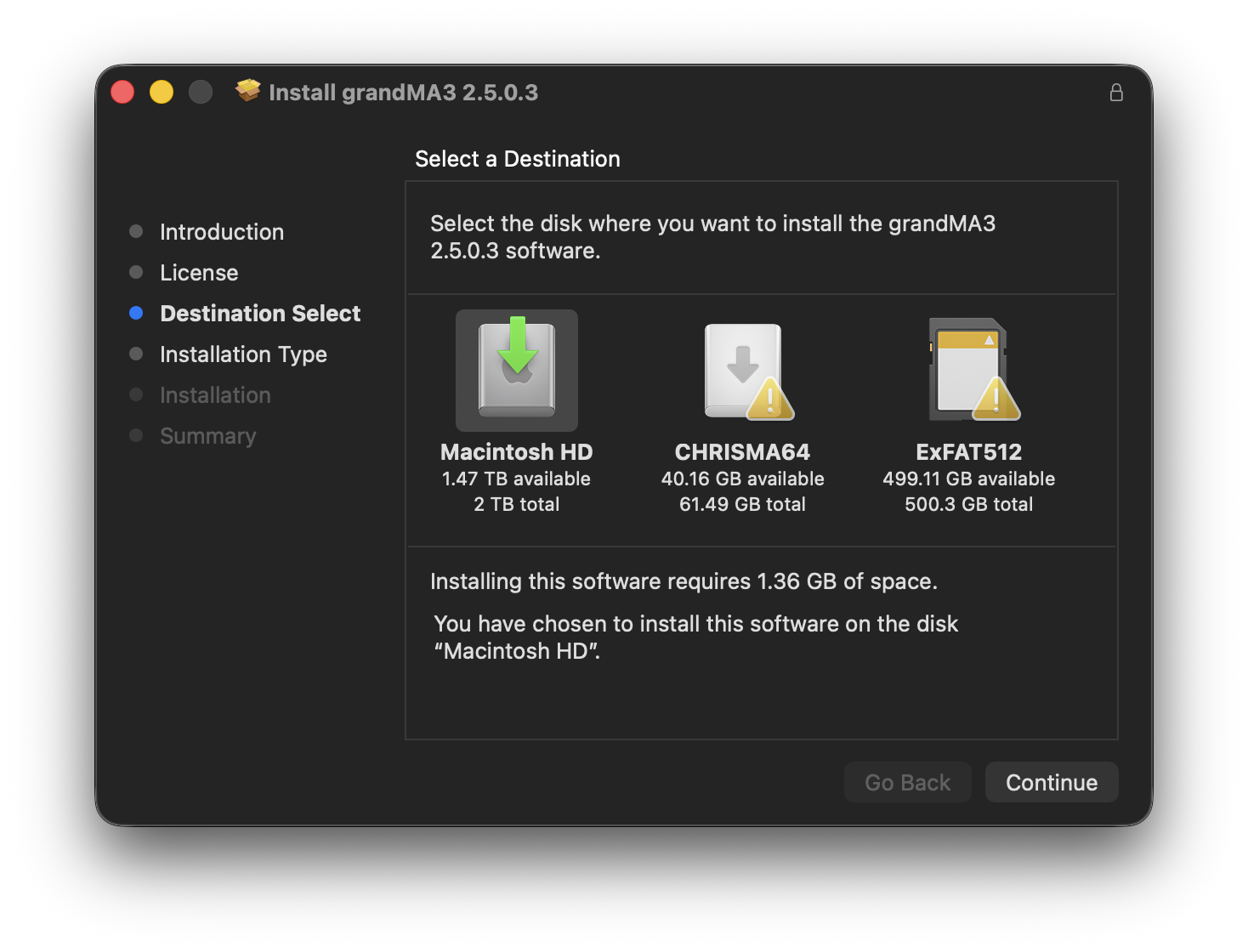
- Continue をクリックし、インストールを続行します。

|
ヒント |
| Installation failed メッセージが表示された場合は、ma フォルダを Downloads フォルダから Desktop などの別の場所へ移動してから、インストーラを再度実行してください。 |
grandMA3 onPC の起動
- Finder で Applications フォルダを開きます。
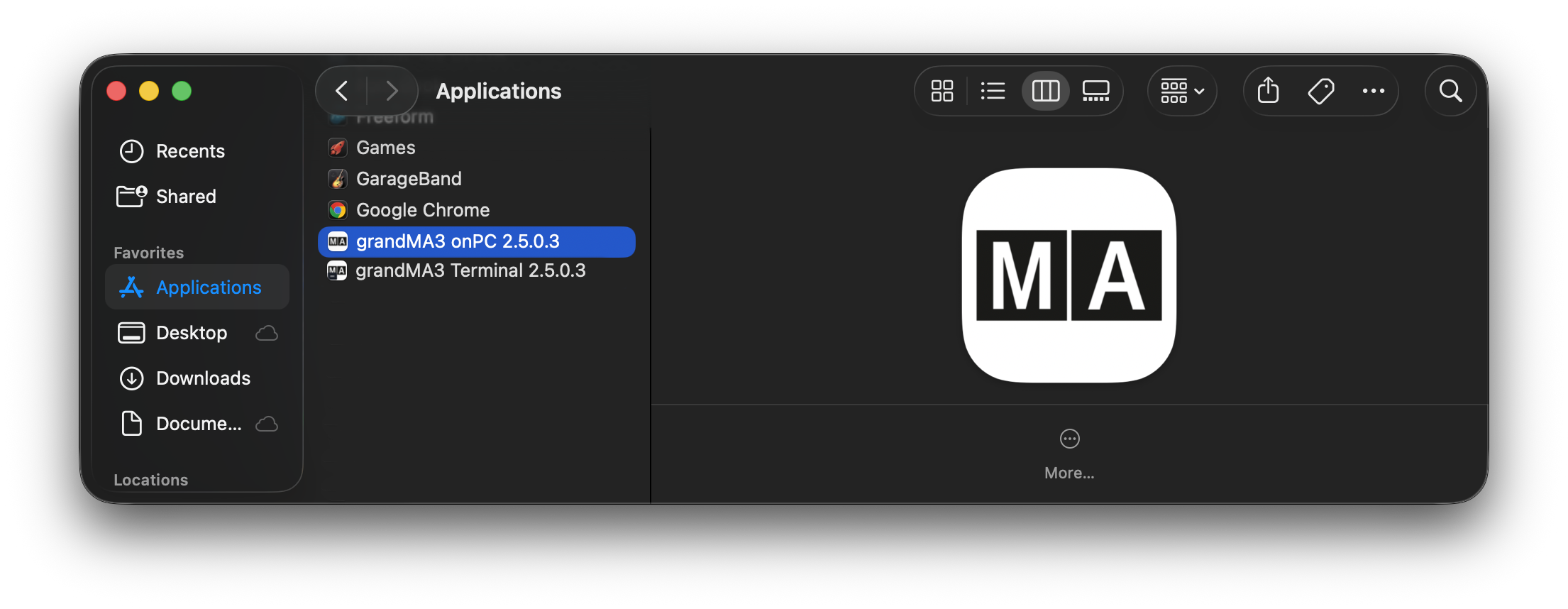
- 起動するバージョンの grandMA3 アプリケーションをダブルクリックします。
grandMA3 onPC のロード中は、起動スプラッシュ画面が表示されます。ソフトウェア・バージョンは、Dock 内のアプリケーション・アイコン上部に表示されます。
インストールされている grandMA3 onPC ソフトウェアの各バージョンには個別のアプリケーションがあるため、複数のバージョンをインストールしたまま、それぞれ個別に起動できます。
|
|
ヒント |
| grandMA3 onPC のすべての機能を使用するには、macOS から求められた際に Local Network、External Media (USB ドライブ)、および Microphone へのアクセスを許可してください。 |
別のインスタンスまたは grandMA3 Terminal の起動
同じデバイスで最大5つの grandMA3 onPC インスタンスを同時に実行できます。
別の grandMA3 onPC インスタンスを起動するには、以下のいずれかの方法を使用します。
- Dock 内の grandMA3 アプリケーション・アイコンを右クリックし、New onPC Instance を選択します。
- grandMA3 onPC で、File > New onPC Instance を選択します。
- Command+N を押します。
grandMA3 Terminal を起動するには、以下のようにします。
- Dock 内の grandMA3 アプリケーション・アイコンを右クリックし、Open grandMA3 Terminal を選択します。
- grandMA3 onPC で、File > Open grandMA3 Terminal を選択します。
- Command+T を押します。
|
|
ヒント |
| 新しい grandMA3 アプリケーションは、従来の grandMA3 Launcher からも起動できます。新しいバージョンのインストール後に従来の Launcher を初めて開くと、新しくインストールされたバージョンが起動します。次回 Launcher を開くと、以前に Launcher で選択したバージョンが起動します。 |
macOS の権限許可
grandMA3 onPC が特定の macOS サービスに初めてアクセスする際、macOS からアクセス許可を求められることがあります。関連する grandMA3 onPC 機能を使用できるように、要求されたアクセス許可を付与してください。
Local Network: grandMA3 onPC がローカルネットワーク上の grandMA3 デバイスや他のネットワーク参加者と通信できるようにします。アクセスを拒否すると、ネットワーク通信を利用できません。
External Media: grandMA3 onPC がUSBドライブなどのリムーバブル・ストレージ・デバイス上のファイルにアクセスできるようにします。アクセスを拒否すると、ソフトウェアはこれらのデバイスからロードしたり、これらのデバイスに保存したりできません。
Microphone: grandMA3 onPC が Mac のマイクや他のオーディオ入力デバイスからオーディオ入力を使用できるようにします。アクセスを拒否すると、grandMA3 onPC ではオーディオ入力を利用できません。
Local Network へのアクセスを拒否した場合:
- grandMA3 onPC を終了します。
- System Settings > Privacy & Security を開きます。
- Local Network を選択します。
- grandMA3 のアクセスを有効にします。
- grandMA3 onPC を再度起動します。
External Media へのアクセスを拒否した場合:
- grandMA3 onPC を終了します。
- System Settings > Privacy & Security を開きます。
- Files & Folders を選択します。
- 必要に応じて grandMA3 を展開します。
- Removable Volumes へのアクセスを有効にします。
- grandMA3 onPC を再度起動します。
Microphone へのアクセスを拒否した場合:
- grandMA3 onPC を終了します。
- System Settings > Privacy & Security を開きます。
- Microphone を選択します。
- grandMA3 を有効にします。
- grandMA3 onPC を再度起動します。